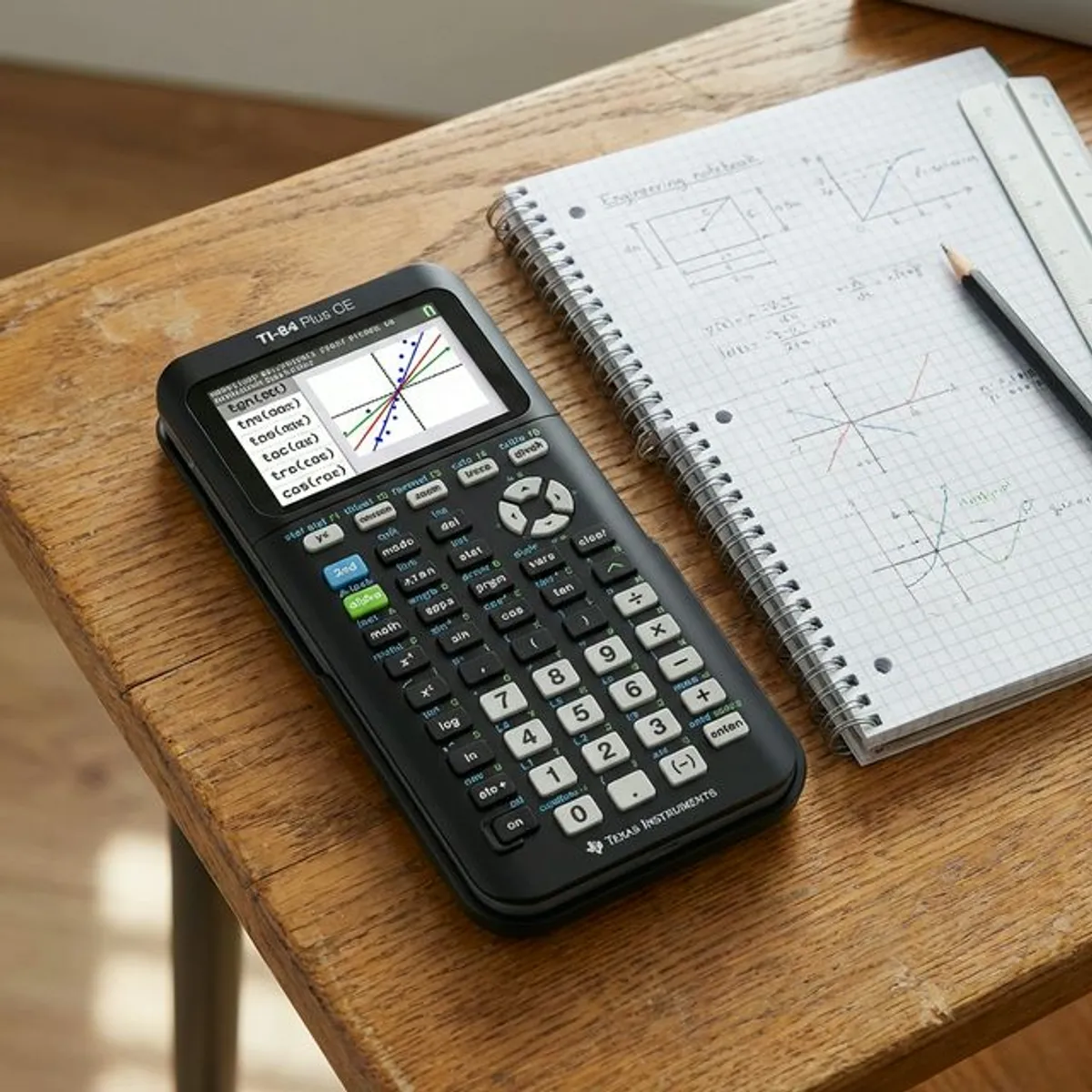
Texas Instruments makes four calculators that cover almost every need: the TI-84 Plus CE for graphing, the TI-36X Pro for scientific work in exams, the BA II Plus for finance, and the TI-30XS Multiview for everyday school maths. Which one you need depends far more on your exam rules than on price.
This Texas Instruments calculator guide helps students choose the best Texas Instruments calculator for school, engineering, or finance. Choosing the right texas instruments calculator can feel like navigating a complex mathematical matrix. Whether you are a high school student stepping into AP Calculus, a college engineering major dealing with differential equations, or a corporate finance professional calculating complex amortizations, the tools you use directly impact your efficiency and accuracy. Over the past few decades, Texas Instruments has cemented its place as the undisputed leader in educational and professional calculation tools. Their products are not merely calculators; they are sophisticated computing devices tailored to specific academic and industry needs.
In this comprehensive guide, we will break down the absolute best models currently available on the market. We will explore everything from advanced graphing models to specialized scientific and financial calculators. Furthermore, we will delve into the increasingly popular virtual options, such as the texas calculator ti 84 plus online, and provide crucial maintenance advice including the ultimate texas instruments ti-84 calculator charger guide. By the end of this article, you will have all the knowledge required to make an informed decision and master your device.
Best Texas Instruments Calculators
When it comes to selecting a device, the "best" model entirely depends on your specific curriculum or professional requirements. The Texas Instruments ecosystem is brilliantly designed to cater to distinct disciplines. Graphing calculators are essential for visualizing functions and data plotting, scientific models are perfect for algebra and chemistry, and financial versions are strictly tailored for business calculations. Let us do a deep dive into the top four models that dominate their respective categories.
TI-84 Plus CE
The standard by which all other graphing calculators are measured is undeniably the ti 84 calculator. Specifically, the TI-84 Plus CE (Color Edition) is the pinnacle of high school and early college mathematics. This device features a vibrant, high-resolution color screen that makes differentiating between multiple graphed lines incredibly intuitive. It is significantly slimmer and lighter than its bulky predecessors, easily slipping into a backpack without adding noticeable weight.
For students, this model is approved for the PSAT, SAT, ACT, and AP exams, making it an indispensable investment for standardized testing. The color-coding capabilities extend beyond just lines on a graph; you can color-coordinate equations, objects, and text, which drastically enhances comprehension for visual learners. Furthermore, for those instances where you left your physical device at home or school, utilizing a texas calculator ti 84 plus online simulator can bridge the gap ensuring your homework is never compromised (more on this in our dedicated virtual section below).
Beyond standard graphing, the TI-84 Plus CE comes pre-loaded with dozens of educational applications, including periodic table apps, polynomial root finders, and simultaneous equation solvers. The rechargeable battery is a massive upgrade from the old AAA battery requirements, offering weeks of continuous use on a single charge. If you are serious about mathematics, statistics, or physics, this is the benchmark device.
TI-36X Pro Scientific Calculator
Not every student or professional requires the plotting capabilities (or the price tag) of a graphing device. For advanced algebraic, trigonometric, and standard calculus functions, the texas instruments ti 36x pro scientific calculator is widely considered the absolute best in its class. In fact, for engineering students, this is often the calculator of choice because it is permitted on the Fundamentals of Engineering (FE) and Professional Engineering (PE) licensing exams, whereas programmable graphing calculators are strictly banned.
What makes the TI-36X Pro so exceptional is its MultiView display. This feature allows users to view multiple calculations on the screen simultaneously, comparing results and tracking complex multi-step problems without losing their place. You can scroll through history to review previous outputs, a feature normally reserved for graphing models. Furthermore, it boasts unparalleled ease of use when dealing with fractions, radicals, and pi, displaying them exactly as they appear in standard textbooks rather than converting them into messy decimals.
From solving quadratic equations to matrix operations and vector mathematics, the texas instruments ti 36x pro scientific calculator handles it all with incredible processing speed. It is solar-powered with a battery backup, ensuring it never dies in the middle of a crucial exam. If your coursework or profession prohibits graphing capabilities but demands heavy computational power, this is your definitive answer.
BA II Plus Financial Calculator
Pivoting away from pure mathematics and engineering, we enter the realm of business, accounting, and economics. In this sector, the absolute gold standard is the texas instruments ba ii plus financial calculator. Walk into any corporate finance department or business school, and you will see this device sitting on almost every desk. It is the mandatory calculator for candidates sitting for the internationally recognized Chartered Financial Analyst (CFA) exam, as well as the GARP Financial Risk Manager (FRM) exam.
The power of the texas instruments ba ii plus financial calculator lies in its specialized, pre-programmed financial functions. It effortlessly calculates Time Value of Money (TVM) scenarios such as mortgages, leases, savings, and annuities. It handles cash flow analysis for up to 24 uneven cash flows with up to 4-digit frequencies; computes Net Present Value (NPV) and Internal Rate of Return (IRR); and masters depreciation schedules, bond prices, and yield to maturity (YTM).
Beyond its advanced financial capabilities, it also covers standard statistical analysis, including list-based one- and two-variable statistics with four regression options. The interface is specifically designed for speed, allowing financial analysts to rapidly punch in variables without wading through deep sub-menus. For anyone pursuing a career in finance, real estate investment, or accounting, mastering this specific model is a fundamental career requirement.
TI-30XS Multiview Scientific Calculator
For middle school students, high school freshmen entering general science and algebra, and adults seeking a reliable desk calculator for everyday complex tasks, the texas instruments ti-30xs multiview scientific calculator is the perfect entry-level scientific device. It offers the same brilliant MultiView display as the advanced 36X Pro, meaning users can input and view fractions, formulas, and math expressions exactly as they are printed in textbooks.
The texas instruments ti-30xs multiview scientific calculator is exceptionally user-friendly. It allows for equation recall, meaning you can edit previous inputs to observe how changing a single variable affects the outcome. This is phenomenal for exploring mathematical patterns. It handles standard scientific functions effortlessly, including one- and two-variable statistics, trigonometric functions, and conversions between fractions and decimals.
Importantly, it is approved for the GED, SAT, ACT, and AP exams. Its dual power source (solar and battery) ensures outstanding reliability. While it lacks the advanced calculus solvers and matrix capabilities of the 36X Pro, its simplicity, durability, and extreme affordability make it the undisputed champion of introductory scientific calculators.
TI-84 Plus CE Charger Guide
Unlike the older models that required constant AA or AAA battery replacements, modern Texas Instruments devices utilize rechargeable lithium-ion batteries. However, a dead calculator on exam day is a literal nightmare. Understanding the proper texas instruments ti-84 calculator charger protocol is essential for device longevity.
The TI-84 Plus CE utilizes a standard USB Mini-B to USB-A cable. It is crucial to note that this is not the modern USB-C or the older Micro-USB found on many Android phones; it is the slightly thicker Mini-B plug. When searching for a replacement texas instruments ti-84 calculator charger, any high-quality data-capable USB Mini-B cable will suffice. You do not necessarily need to purchase an expensive "official" Texas Instruments branded cable, though using a high-quality aftermarket cable is recommended to avoid electrical shorts.
You can charge the device by plugging it directly into a computer's USB port, a standard wall adapter (like an old iPhone charger brick), or a charging station. When properly charging, an amber light will illuminate on the side of the calculator, which turns green once a 100% charge is achieved. To maximize battery health, Texas Instruments recommends fully charging the device before significant periods of storage (like summer break) and avoiding extreme temperatures. A fully charged battery generally lasts several weeks under normal classroom use.
TI-84 Plus Online Calculator
The digital age has transformed how we access computational power. What happens when you leave your physical device in your locker, or you are a parent trying to assist your child with homework but don't want to spend $130 on a device they will only use for one semester? This is where the surging demand for a texas calculator ti 84 plus online comes into play.
There are several phenomenal alternatives, apps, and browser-based simulators that replicate the functionality of a physical TI-84. The first and most robust option is the official Texas Instruments SmartView software. Designed primarily for educators to project on smartboards, this premium software acts as an exact digital twin of the physical calculator. However, it requires a paid license.
For students seeking a free texas calculator ti 84 plus online alternative, the absolute best resource is Desmos. Desmos offers a stunning, highly intuitive web-based graphing calculator that is completely free to use. While the interface is different from a TI device, its graphical capabilities often surpass the physical calculator in speed and visual clarity. In fact, many state standardized tests have natively integrated Desmos into their digital testing platforms.
Another excellent online alternative is GeoGebra, which provides not only graphing but advanced geometry and 3D plotting capabilities directly in your browser. For mobile users, various emulator apps exist on both the Google Play Store and Apple App Store. For Android, apps like "Wabbitemu" historically allowed users to load a TI-84 ROM file to simulate the exact interface on their phone. If your goal is to practice graphing functions from home without the physical hardware, utilizing a texas calculator ti 84 plus online alternative is an incredible, cost-effective strategy.
How to choose a Texas Instruments calculator
- Check your exam rules first. The exam board decides what you may bring, so let that eliminate models before you compare features. Graphing and CAS machines are the most commonly restricted.
- Decide whether you need graphing. If your course plots functions, the TI-84 Plus CE earns its price. If you only evaluate expressions, a scientific model does the same work for far less.
- Check for a finance syllabus. Time value of money, amortisation and cash flow work point to the BA II Plus rather than a general scientific model.
- Think about power. The TI-84 Plus CE is rechargeable and can be flat on exam morning. Solar-assisted scientific models remove that risk.
- Try the free equivalents first. Much of what people buy a graphing calculator for can be done in a browser, so confirm you need the hardware before spending.
The four models compared
| Model | Type | Best for | Power |
|---|---|---|---|
| TI-84 Plus CE | Graphing, colour screen | Algebra II, pre-calculus, statistics coursework | Rechargeable battery |
| TI-36X Pro | Scientific, non-graphing | Exam work where graphing models are excluded | Solar with battery backup |
| BA II Plus | Financial | Time value of money, cash flow, CFA study | CR2032 coin cell |
| TI-30XS Multiview | Scientific, four-line display | Middle and high school maths | Solar with battery backup |
The pattern worth noticing: the more capable the machine, the more likely an exam board is to restrict it, and the more likely it is to depend on a charge you have to remember. A solar scientific model has neither problem.
Before you buy: check it against the free tools
Most of what people buy a graphing calculator for can be tried in a browser first. Our scientific calculator covers the TI-36X Pro's ground, the parabola graph calculator and quadratic calculator do what the TI-84 is most often used for, and the loan calculator handles the time-value work of a BA II Plus. If a free tool already does the job, the only reason left to buy hardware is the exam room. Our smart calculator guide explains which categories exam boards restrict.
FAQ
How to do fractions on TI-84 Plus?
One of the most common stumbling blocks for students transitioning to a graphing calculator is navigating basic fractions. To properly enter a fraction so it displays vertically (numerator over denominator) rather than as a long string of division symbols, simply press the [ALPHA] key followed by the [Y=] key (which activates the F1 shortcut menu). This will bring up a small submenu on your screen. Select option number 1, labeled n/d. This will insert an empty fraction template onto your home screen. You can then use the directional arrow pad to type your numerator, press the down arrow, type your denominator, and hit [ENTER]. This ensures your algebraic syntax remains perfect and drastically reduces "order of operations" errors during complex calculations.
Is the TI-36X Pro allowed on the SAT?
The TI-36X Pro is a non-graphing scientific calculator with no QWERTY keyboard, which is the profile exam boards have generally accepted, and it has been widely permitted on the SAT, ACT and calculator-permitted AP exams. Policies change and differ between boards, so confirm it against the current published list for your specific exam before test day — the ACT calculator policy and the College Board AP calculator policies are the authoritative sources.
How long does the BA II Plus battery last?
The texas instruments ba ii plus financial calculator uses a CR2032 lithium coin cell battery. Because the device has a standard LCD screen without backlighting, the battery draw is incredibly minimal. Under normal daily professional or academic use, a single battery will easily last between 1 to 2 years before requiring replacement.
Summary: Choosing the right Texas Instruments calculator depends on your needs and exams. Whether you need an online simulator or a physical device, this guide ensures you make an informed decision.
Sources and further reading
- ACT calculator policy — the authoritative list of what is permitted.
- College Board AP calculator policies — requirements vary by AP subject.
- Graphing calculator — background on the category.